Cricut Machine Guide: How to Turn DIY Projects Into a Business
Discover how Cricut smart cutting machines enable hobbyists to scale into entrepreneurs through digital precision, versatile materials, and efficient production workflows.
In a world dominated by mass production, the desire for personalized, handcrafted items has never been stronger. Cricut has bridged the gap between complex industrial manufacturing and the home craft room, offering a suite of smart cutting machines that transform digital designs into physical reality with a single click.
The Magic of Digital Precision in Crafting
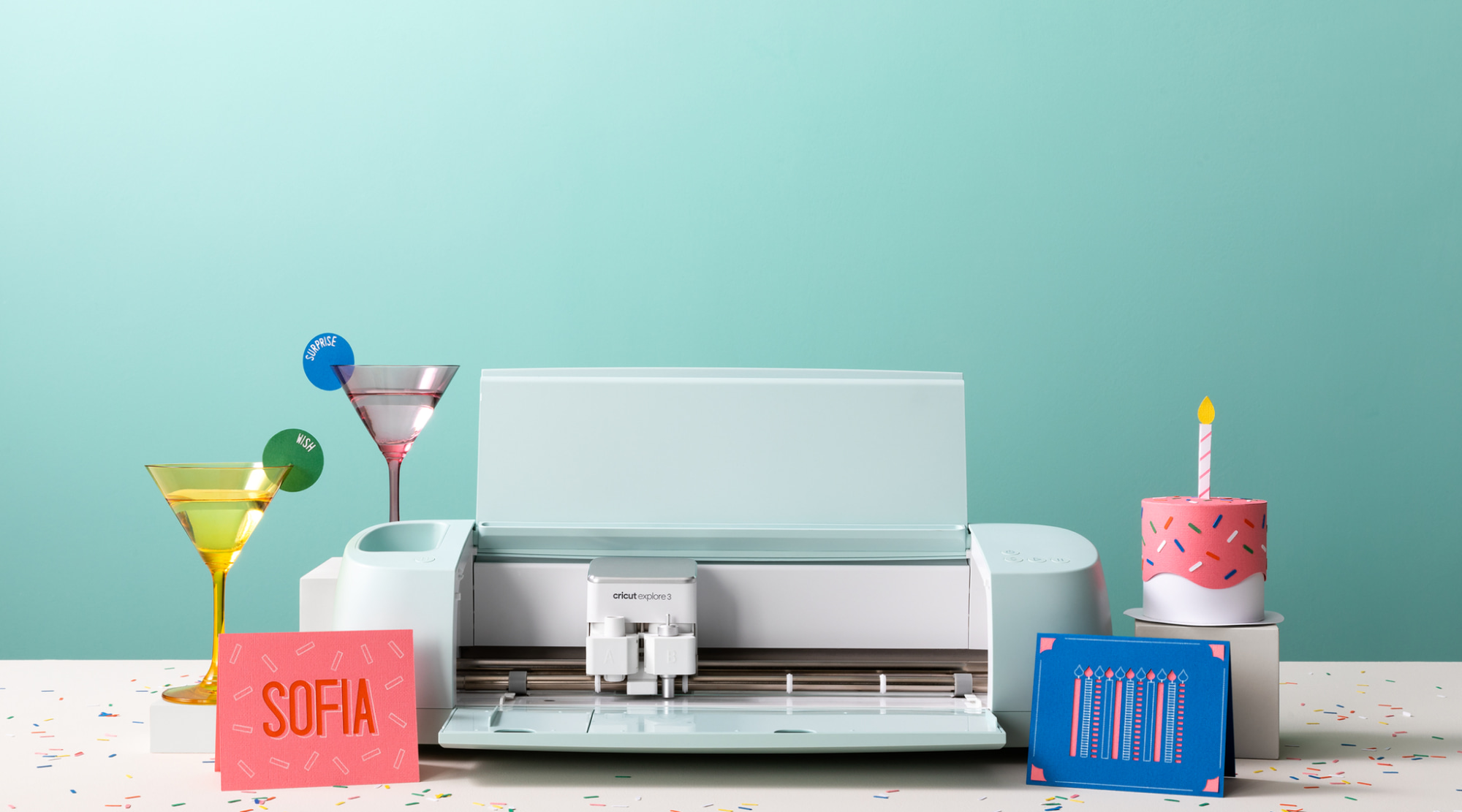
At its core, Cricut is a computer-controlled cutting machine. Imagine a traditional printer, but instead of a nozzle spraying ink, it uses a high-precision blade or pen. Whether you are working with cardstock, vinyl, iron-on transfers, or even thicker materials like leather and balsa wood, the machine follows your digital blueprints with microscopic accuracy.
This precision is what makes the technology accessible. A novice who has never picked up an X-Acto knife can produce intricate lace patterns for wedding invitations that would take a professional hours to cut by hand. For the seasoned maker, it acts as a force multiplier, allowing them to scale their creative output effortlessly.
From Hobbyist to Homepreneur
The transition from making gifts for friends to running a full-scale small business is a common journey for Cricut users. Many creators begin by customizing t-shirts or water bottles and eventually find themselves opening online storefronts. When your hobby turns into a commercial venture, efficiency becomes your most valuable asset.
Scaling Your Creative Business
Batch Production: Cricut’s Design Space software allows you to "maximize your mat," cutting dozens of stickers or labels simultaneously to save material and time.
Professional Branding: Use the "Print Then Cut" feature to create custom logo stickers, thank-you cards, and branded packaging that rival high-end print shops.
Financial Management: As you start selling your creations, managing your overhead is vital. Just as creative designers need the top 6 invoice software platforms to stay organized, they should also look toward financial planning tools to ensure their craft pays for itself.
The Ecosystem: Software Meets Hardware
One of the biggest hurdles for DIY enthusiasts used to be learning complex graphic design software. Cricut solved this with Design Space, a cloud-based platform that works on desktops, tablets, and smartphones. Users can upload their own SVGs or choose from a massive library of pre-made projects.
"Technology is at its best when it disappears into the creative process, allowing the maker to focus on the 'what' rather than the 'how'."
The ecosystem also thrives on connectivity. For creators running their business from home, a stable and fast internet connection is non-negotiable for syncing heavy design files and cloud assets. This is one of the reasons why more households are switching to AT&T Fiber to support their smart home studios.
Advanced Materials and Boundless Applications
While vinyl decals remain a fan favorite, the modern Cricut lineup (like the Maker 3) can handle over 300 different materials. This versatility has expanded the DIY scope significantly:
Home Decor: Creating custom stencils for furniture upcycling or etched glass projects.
Apparel: Designing professional-grade "Infusible Ink" apparel that doesn't peel or crack.
Organization: Printing custom labels for every spice jar and pantry bin to achieve the ultimate "Pinterest-ready" kitchen.
For those looking to turn these projects into a steady side-hustle, smart money management is key. Using a tool like Acorns can help you automatically invest the small profits from your sales. You can learn more about how Acorns is your guide to financial wellness as you build your creative empire.
Conclusion
Cricut has successfully democratized design, giving anyone with a creative spark the tools to build something professional. Whether you are a hobbyist looking to personalize your world or an entrepreneur building a brand from your kitchen table, the combination of smart hardware and intuitive software makes it possible to DIY everything. By integrating these tools with a solid digital infrastructure and smart business management, the only limit to what you can create is your own imagination.