SSD vs HDD: A 2026 Guide to How Computer Storage Works
A clear comparison of SSD and HDD technology in 2026. Understand how mechanical platters differ from NAND flash memory and why storage speed impacts your PC performance.
The Basics: What is a Drive?
Before we dive into the differences, we must understand what a storage drive actually does. In the world of computing, your processor (the brain) needs a place to keep information when the power is turned off. Unlike RAM (Random Access Memory), which clears every time you reboot, a storage drive is "non-volatile." This means it holds onto your photos, operating system, and applications permanently until you decide to delete them.
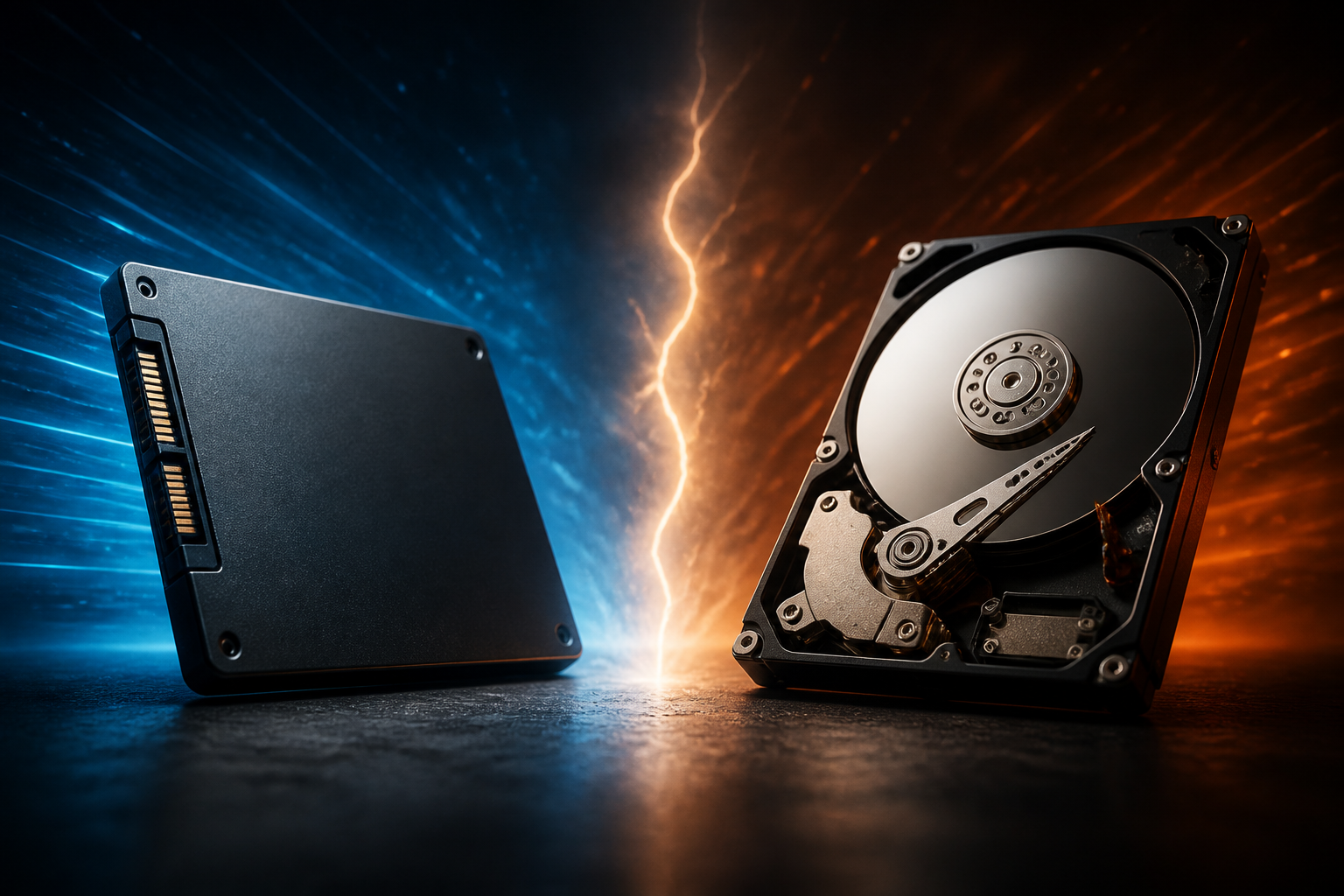
For decades, the Hard Disk Drive (HDD) was the only practical way to store large amounts of data. However, the Solid State Drive (SSD) has revolutionized the industry by removing the physical limitations of older technology. Think of it like the difference between a vinyl record player and a modern smartphone: one relies on moving parts, while the other uses pure electricity.
1. How Hard Disk Drives (HDDs) Work
The HDD is a marvel of mechanical engineering that has been around since the 1950s. If you were to crack one open, it would look remarkably like a miniature, high-tech turntable.
The Magnetic Platter
Inside an HDD, there are one or more spinning disks coated with a magnetic material. These are called platters. Data is stored on these platters in the form of microscopic magnetic patterns. As long as the magnets hold their charge, your data remains safe.
The Read/Write Head
To access the data, a tiny mechanical arm with a "read/write head" hovers just nanometers above the spinning platter. As the disk spins—usually at speeds of 5,400 or 7,200 revolutions per minute (RPM)—the arm moves back and forth to find the specific bit of data you requested.
The Analogy: Imagine a massive library where all the books are kept on a giant, spinning carousel. To read a specific page, a robot arm has to wait for the right book to spin around to the front and then physically flip to the right page. This takes time, which is why HDDs feel "slow."
2. How Solid State Drives (SSDs) Work
SSDs represent a total departure from mechanical movement. There are no disks, no motors, and no moving arms. Instead, they use a technology called NAND Flash Memory.
Flash Memory and Electrons
Data in an SSD is stored in a grid of microscopic cells. Instead of using magnetism, the drive uses electricity to trap electrons inside these cells to represent "bits" of data (1s and 0s). Because there are no moving parts, the drive can access any piece of data instantly, regardless of where it is stored on the chip.
The Controller
Every SSD has a "brain" called a controller. This chip acts as the director, managing where data is stored and ensuring the drive operates efficiently. In 2026, these controllers have become incredibly advanced, allowing SSDs to reach speeds that were unthinkable just a decade ago.
The Analogy: Compare that spinning library to a digital tablet. Instead of waiting for a carousel to spin, you simply tap a search button and the information appears instantly. There is no physical travel involved, just electricity moving at the speed of light.
3. Speed and Performance Comparison
Speed is the most noticeable difference between these two technologies. When you press the power button on a computer, several gigabytes of data must be moved from the storage drive into the RAM. The faster the drive can deliver that data, the faster your computer feels.
- Boot Times: An HDD might take 60 to 90 seconds to load Windows or macOS. An SSD can usually do it in under 15 seconds.
- File Transfers: Moving a 10GB movie file might take several minutes on an HDD, whereas a modern NVMe SSD can finish the task in just a few seconds.
- System Snap: SSDs eliminate "latency." This is the tiny delay you feel when you click an icon and wait for the program to open. On an SSD, applications typically launch the moment you click them.
For professionals working with high-resolution video or complex software, the speed of an SSD isn't just a luxury; it is a requirement. Even for casual browsing, the difference is like night and day.
4. Durability and Form Factor
Because HDDs rely on physical movement, they are inherently more fragile. If you drop a laptop with a spinning hard drive while it is running, the read/write head can crash into the platter, physically scratching it and causing permanent data loss. This is known as a "head crash."
SSDs, on the other hand, are highly resistant to physical shock. You can drop them, shake them, or use them in a vibrating environment (like a car or a plane) without worrying about mechanical failure. This makes them the perfect choice for mobile devices.
Size Differences
HDDs are usually restricted to two sizes: 3.5-inch (for desktops) and 2.5-inch (for laptops). SSDs can be much smaller. The modern standard is the M.2 SSD, which is about the size of a stick of gum. This small footprint allows manufacturers to make laptops thinner and lighter while still offering terabytes of storage.
5. Capacity and Price: The Trade-off
If SSDs are faster, smaller, and more durable, why do HDDs still exist in 2026? The answer comes down to price per gigabyte.
HDDs are still the kings of "bulk storage." If you need to store 20 terabytes of raw security footage or a massive collection of 4K movies that you don't watch every day, an HDD is much more cost-effective. You can buy a massive HDD for a fraction of the cost of an equivalent SSD.
"Use an SSD for your 'hot' data—things you use every day like your apps and OS. Use an HDD for your 'cold' data—backups and archives that you rarely need to access."
However, the gap is closing. Every year, SSD prices drop while their capacities increase. In 2026, most consumers find that a 2TB or 4TB SSD is affordable enough to meet all their needs, making the HDD a niche product for data centers and extreme enthusiasts.
6. Lifespan and Reliability
A common myth is that SSDs "wear out" quickly. While it is true that SSD cells have a limited number of "write cycles" (how many times you can save data to them), modern technology has made this a non-issue for almost all users. A typical SSD in 2026 will likely outlast the computer it is installed in.
HDDs, conversely, have a lifespan dictated by mechanical wear. Eventually, the motor will fail or the bearings will wear down. While an HDD doesn't have a "write limit," its mechanical nature means it has a higher chance of a random hardware failure after five to seven years of heavy use.
Conclusion
The battle between SSDs and HDDs is largely over, with SSDs emerging as the clear winner for almost every use case. The speed, silence, and durability of solid-state technology have transformed how we interact with our devices.
To summarize their roles in 2026:
- Choose an SSD for your primary drive to ensure your computer stays fast, responsive, and reliable.
- Choose an HDD only if you are building a home server or need to store massive amounts of data as cheaply as possible.
If you are looking to breathe new life into an old computer, the single best upgrade you can make is replacing an old mechanical hard drive with a modern SSD. It is often the difference between a machine that feels like a relic and one that feels brand new. For your next step, consider learning about the difference between SATA and NVMe SSDs to ensure you get the maximum possible speed for your specific hardware.